ScreenSync MCP — Real-Device Eyes and Hands for AI Agents
A Flutter capture app, a Node hub and a 57-tool MCP server that give any AI agent a live window into a real Android device — plus the gestures, taps and logcat access to drive it.
- Client
- EpsolDev
- Category
- AI Agent Infrastructure
- Completed
- 2026-09-02
- Built with
- Flutter, Node.js, TypeScript, Express.js, REST API, SQLite, Git, GitHub
- Topics
- API Development, Automation, Backend
AI Agent Infrastructure
An AI agent is only as good as what it can see. ScreenSync MCP closes the last gap in mobile development: it gives any Model Context Protocol client — Claude Desktop, Cursor, Qoder, a headless CI runner — a live, low-latency window into a real Android device, plus the hands to drive it.
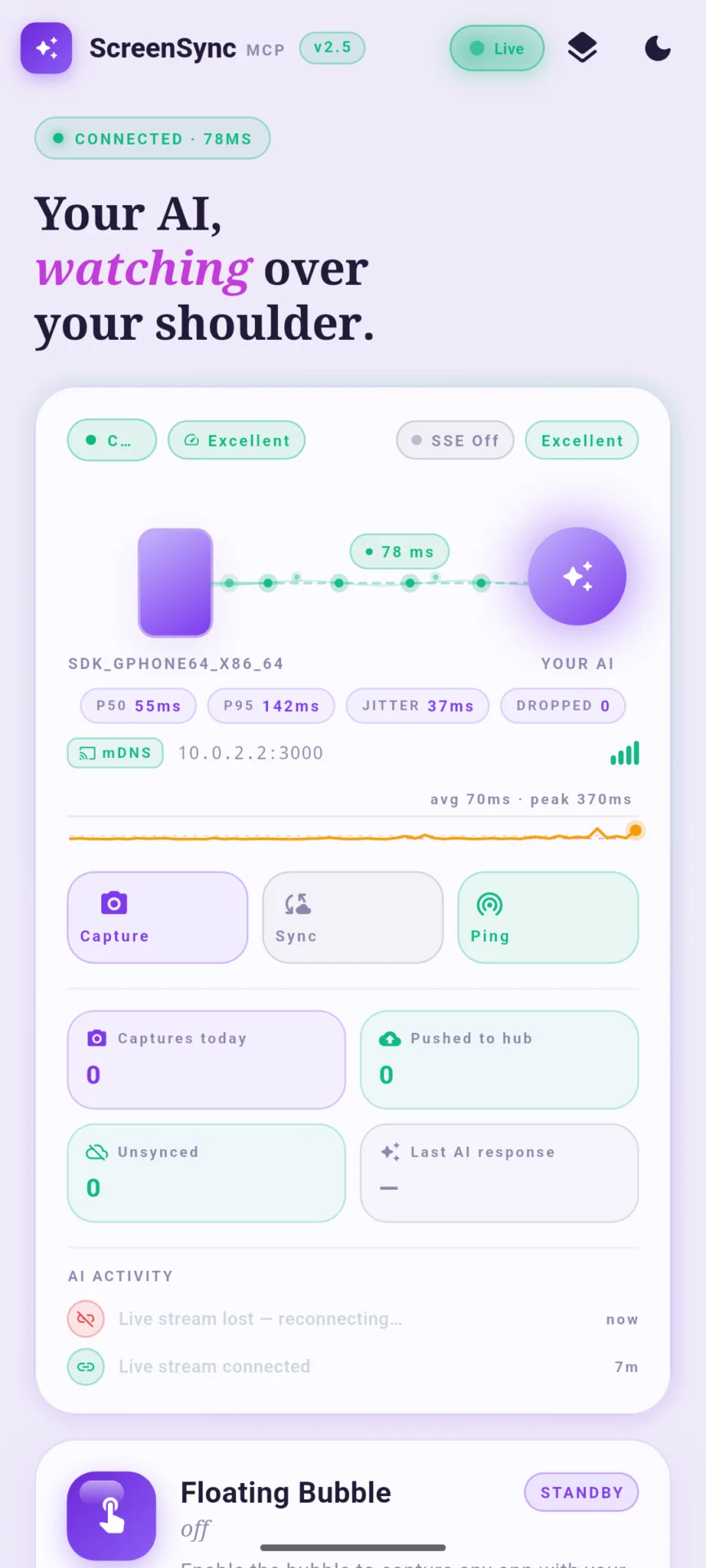
The system is three pieces working as one. A Flutter capture app on the phone uses Android's MediaProjection API to grab real frames — not emulator screencaps, not mocked bitmaps — and streams them over the local network. A Node.js hub receives those frames, indexes them, and serves them over HTTP with Server-Sent Events for push. An MCP server (screensync-mcp-server v2.7.0) speaks JSON-RPC over stdio to the agent, translating every tool call into hub operations.
57 MCP tools served from one shared catalog — the same source of truth feeds the stdio handlers, the HTTP /api/mcp/catalog endpoint, and the in-agent get_mcp_catalog tool.
The problem
Mobile agents fail in a very specific way: they hallucinate the UI. Ask an agent to "check whether the login button is visible" and it has no ground truth, so it guesses from the view model, or from a stale screenshot someone pasted into the prompt, or from what the code should render. Every existing workaround is worse than the disease — ADB screencap is slow and misses SurfaceView content, emulators diverge from real hardware, and vendor device clouds bill by the minute per frame.
ScreenSync fixes this by making the real screen the API.
How capture actually works
The Flutter app requests MediaProjection consent once, then holds a virtual display for the whole session. Frames are encoded on-device and pushed to the hub, which keeps a rolling window of recent screens behind a foreground service — so the user can always see that capture is live. The agent then reads that window:
| Tool | What the agent gets |
|---|---|
get_latest_screenshot | Latest real MediaProjection frame as MCP image content, plus capture metadata |
list_recent_screens | Recent screens without the heavy image payloads — cheap to scan |
get_recent_screenshots | Batch fetch when the agent needs a whole sequence |
compare_frames | Diff two frames to detect whether a tap actually changed anything |
wait_for_frame | Block until the UI reaches an expected state |
record_screen | Capture video of a repro, not just stills |
compare_frames and wait_for_frame change agent behaviour more than any other two tools. Without them an agent taps and assumes; with them the agent taps and verifies.
Hands, not just eyes
Seeing is only half the loop. ScreenSync exposes the full input surface:
- Precise gestures —
control_tap,control_long_press,control_swipe,control_scroll,control_key,control_type - Semantic targeting —
control_tap_texttaps whatever reads "Sign In", so the agent never needs pixel coordinates - Resilient navigation —
control_swipe_untilkeeps swiping until the target item appears, which is how the agent survives infinite feeds and long settings screens - App-level control —
control_launch_app,control_open_url,control_screenshot,control_status - Ground-truth introspection —
get_ui_hierarchy,get_device_status,get_logcat
get_logcat deserves a callout. When a tap does nothing, the answer is almost always in logcat — an uncaught exception, a 401, a permission denial. Handing the agent the device log turns a guessing game into a diagnosis.
Autonomous loops on top of primitives
The primitives compose into higher-order tools that run whole investigations without a human in the loop:
mobile_autonomous_agent plans and executes a multi-step goal. autonomous_ui_test walks an app and reports what breaks. reproduce_bug takes a natural-language bug report and tries to recreate it, returning the frames and logs that prove it did. inspect_latest_mobile_screen with publish_inspection turns "look at this screen" into a durable shareable report. mobile_social_publish drives a real end-to-end publish flow on real hardware.
There is also an OS-level layer — os_hotkey, os_mouse_click, os_type — for the steps that happen outside the phone, such as confirming a build or moving a file the device just produced.
Screen control requires explicit on-device consent. The capture foreground service and the MediaProjection prompt are non-negotiable — the user always knows the screen is being shared.
Discovery without configuration
The hub advertises itself over mDNS as _screensync-hub._tcp. On a normal LAN the Flutter app finds it with zero typing; pairing is a token exchange, not a config file. agent_connect does the same for MCP clients.
Architecture notes
Deliberately boring where it can be, clever only where it must:
- Flutter for the on-device capture surface — MediaProjection, a foreground service and Dart isolates handle the encode/upload pipeline cleanly
- Node.js + TypeScript + Express for the hub, SSE for push, local SQLite for frame indexing
- MCP over stdio for the agent boundary — no ports to open, no credentials to leak, works with any MCP host
- One catalog module as the single source of truth, so app, HTTP API and agent can never disagree about what exists
Results
- 57 tools spanning capture, control, inspection, autonomous flows, OS automation and web
- Real-device truth for any MCP client, with no vendor cloud and no per-frame billing
- Frame-diff verification baked in, so agents stop claiming success they did not earn
- mDNS discovery plus token pairing — a new device joins in seconds
The whole stack is open source and self-hosted. Your screenshots never leave your network unless you tell them to.
See also: ScreenSync Browser Extension for the web half, and ScreenSync Platform for the whole system.